Work
Videos, apps, and games. Everything I make, one place.
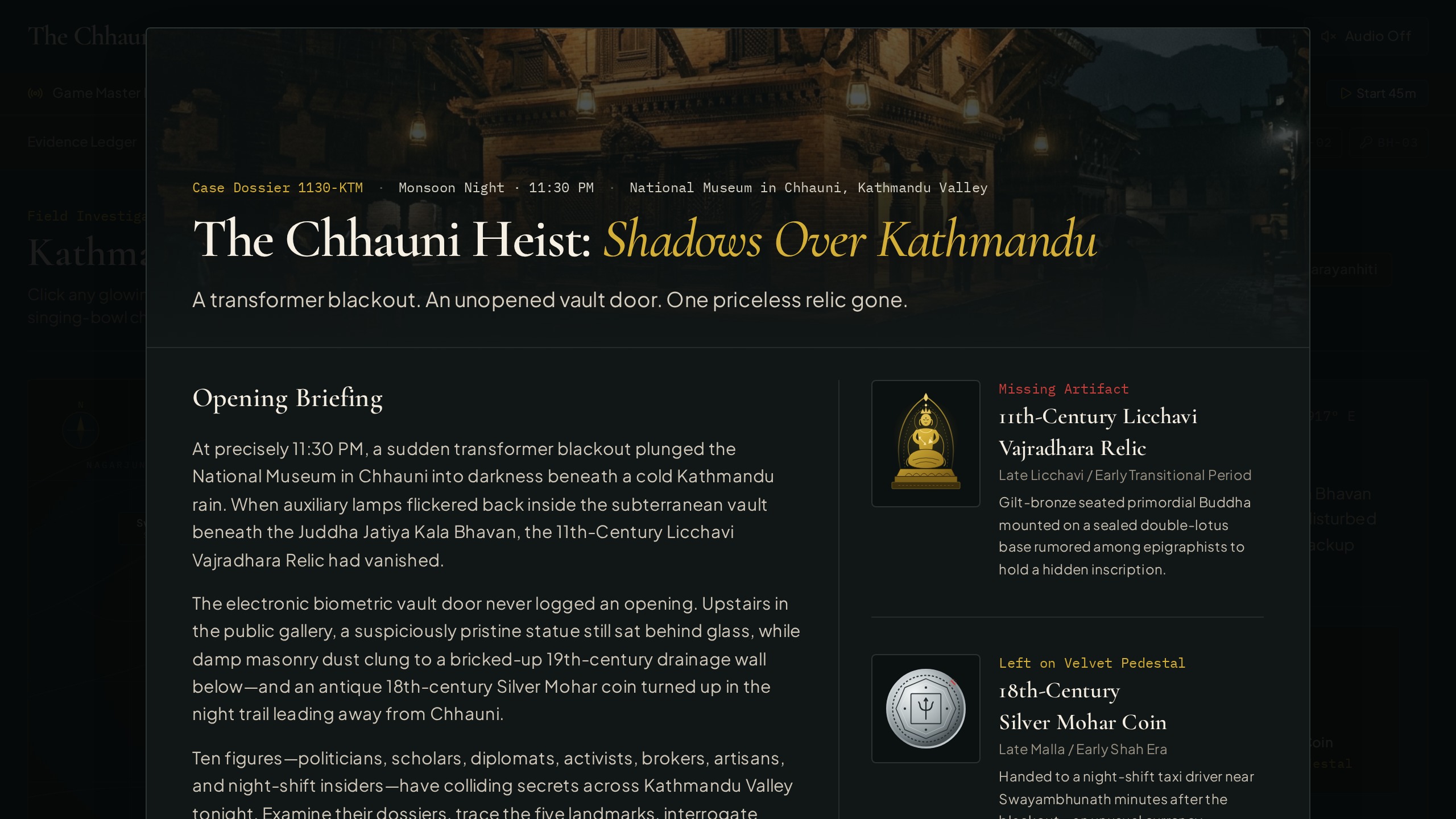
The Chhauni Heist
Detective mystery in Kathmandu: a blackout at the National Museum in Chhauni, a Licchavi relic gone from a sealed vault, ten suspects and five landmarks. Interrogate everyone and deliver your verdict before the Tribunal.
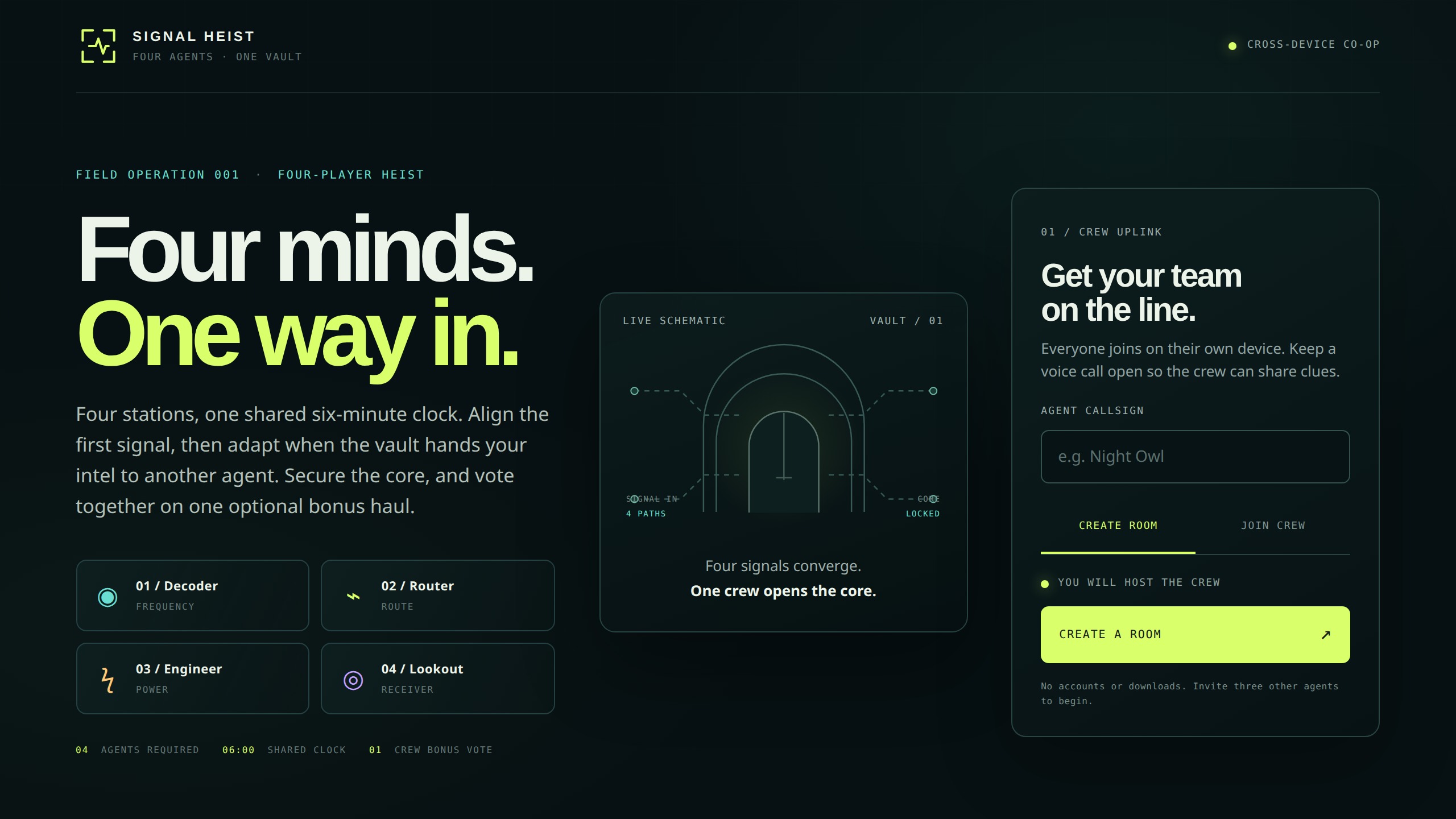
Signal Heist
3D architectural stealth strategy where you guide a two-person crew (Viper and Atlas) through a four-level holographic vault tower, powering only three hacked systems at once.
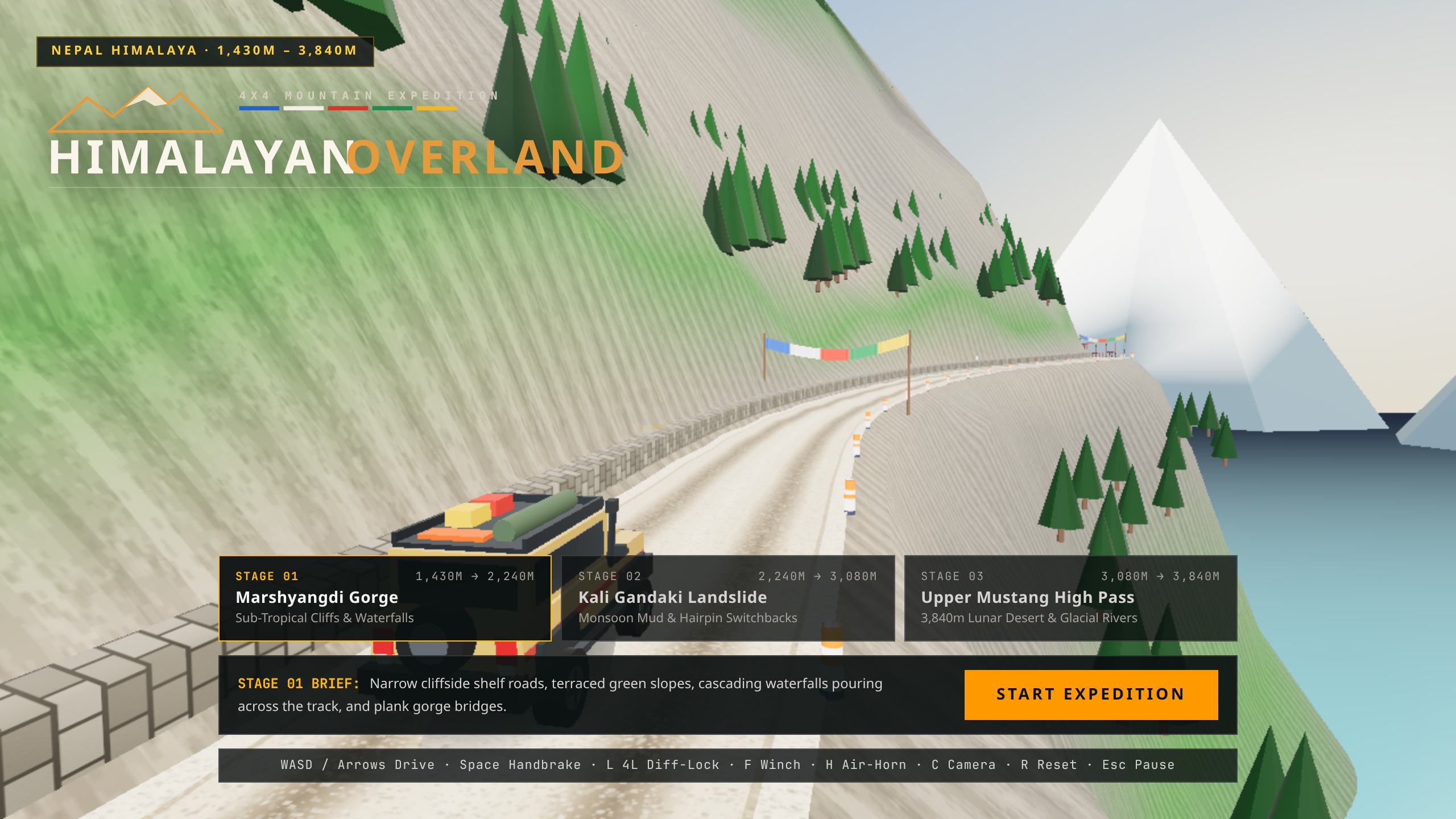
Himalayan Overland
3D off-road 4x4 mountain expedition across Nepal's Himalayan passes (Marshyangdi Gorge, Kali Gandaki landslide zone, Upper Mustang high pass), with suspension physics, diff-lock and a winch.
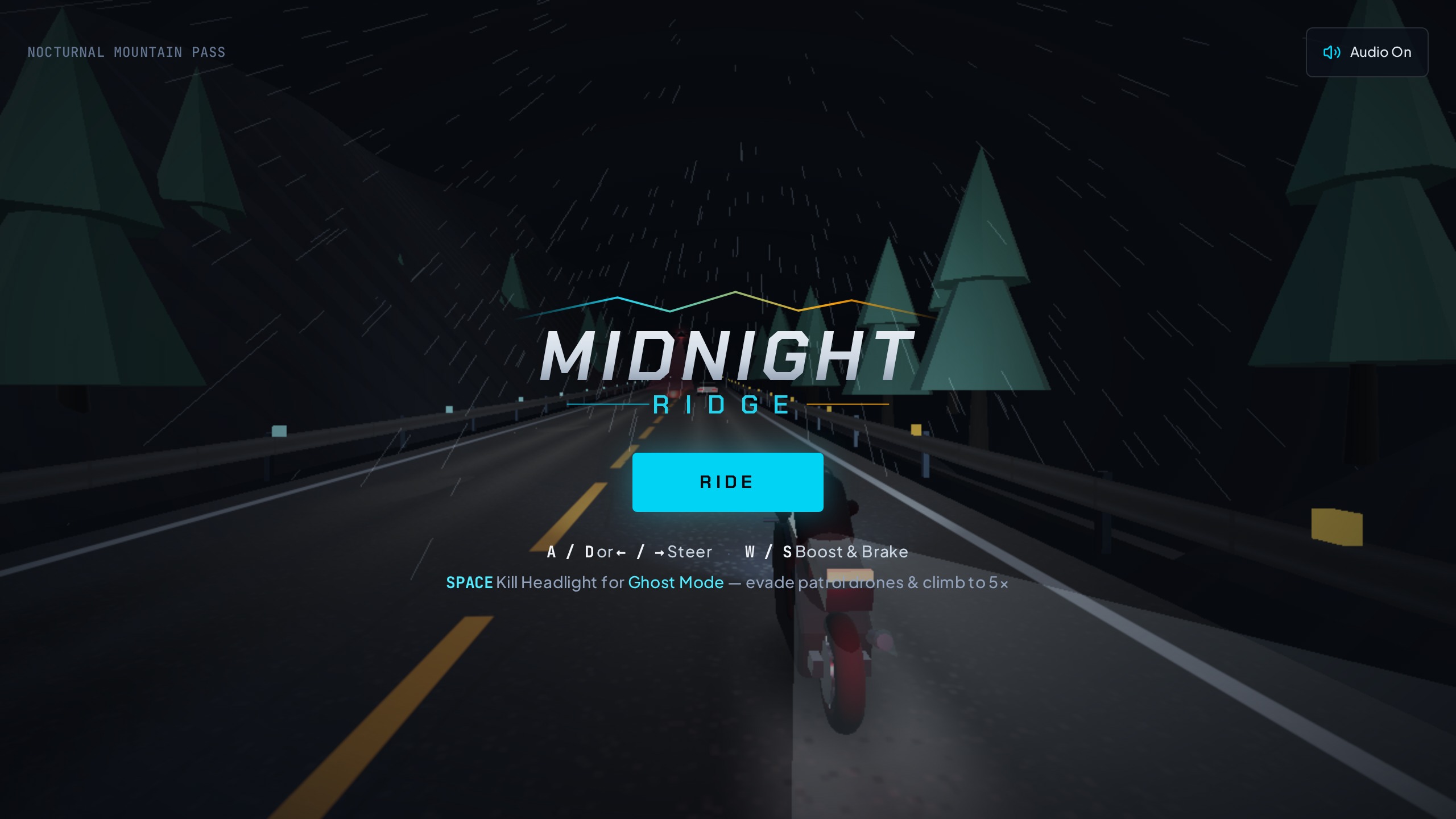
Midnight Ridge
A night-time ridge runner you can play right in your browser.

I Gave Claude Code One Prompt to Make a Geometry Dash Game
I gave Claude Code one prompt to build a Geometry Dash-style game, and I didn't write a single line of code. It read my project, planned the level, wrote its own test to prove the level is beatable (59.4s, 63 jumps), checked its own work, and booted first try. Then I played it. My best: 32% after 8 attempts. 😅 This is Part 1 of a build-in-public series. Next up, the game goes live on my website so you can try to beat my 32%. Then a leaderboard, and maybe payments. Play Average Dash and follow the build: https://youraveragedev.com Chapters 0:00 One prompt, zero code 0:09 The rule 0:26 It reads before it codes 0:41 Planning (sped up 18×) 0:53 It writes its own test 1:09 Building it & checking its own work 1:26 Booted first try 1:36 First play 2:02 Stuck at 32% 2:12 Did it pass? 2:23 Part 2 Subscribe for Part 2.

How Claude Code Actually Works (Agent Harness Explained)
The AI model inside Claude Code has never run a single command on your computer. So who's reading your files, running your tests and fixing your bugs? The harness. In this video I break down how Claude Code actually works under the hood: the agent loop, tools, the system prompt and CLAUDE.md, context windows and compaction, subagents, permissions, plan mode, hooks and MCP. Then I follow one real "fix the failing test" request through the loop, step by step. I'm a dev who uses Claude Code every day. No hype, just how it works. Sources How Claude Code works: https://code.claude.com/docs/en/how-claude-code-works Building effective agents (Anthropic): https://www.anthropic.com/engineering/building-effective-agents How tool use works: https://platform.claude.com/docs/en/agents-and-tools/tool-use/how-tool-use-works

JavaScript Framework Tier List Before 2027 (I'm Biased)
There are way too many JavaScript frameworks, so I ranked them all in one 2026 tier list. Fair warning: I ship Next.js every day, so yes, I'm biased, and some of you are going to be mad. In this JavaScript framework tier list I rank React, Next.js, Vue, Nuxt, Svelte, Angular, Solid, Astro, Remix, React Router, Qwik, htmx, jQuery and vanilla JavaScript, based on where each one actually stands at the end of 2026: React 19.3 and the React Compiler, Next.js 16 (Turbopack, proxy.ts, "use cache"), Vue 3.6 Vapor Mode (still in RC), SvelteKit 3, Angular 22 (zoneless by default), Solid 2.0 going stable, Astro 7's Rust compiler, Remix 3 dropping React, Qwik 2 (still in RC), htmx 4 and jQuery 4. Survey numbers are from the State of JavaScript 2025, the latest one out. If you're choosing the best JavaScript framework for 2026, the takeaway at the end is for you. Chapters 0:00 Intro (and my bias) 0:28 React 1:06 Next.js 1:42 Vue & Nuxt 2:12 Svelte 2:31 Angular 2:57 Solid 3:24 Astro 3:43 Remix & React Router 4:06 Qwik 4:22 htmx 4:46 jQuery & vanilla JS 5:09 How to actually pick a framework The scheduling app I mention, MicroCalendar, is built on Next.js. Try it free: https://microcalendar.com.au Disagree with my S tier? The comments are open. Subscribe for more honest web dev videos from a dev who ships every day.

Youtube is the best place to build in public
How do you break down goals into tasks so you actually hit them? A viewer asked me exactly that about my goal tracking app, and the honest answer was: it didn't. So I built it. Now every task can belong to a goal, and finishing tasks moves the goal's progress automatically. On my last video (I failed my $300 MRR goal, so I built an app to fix it), @buildingrumbo commented: "Often the miss comes from the goal being too far from today's task. How does your app break it down?" My goals and my tasks had never been connected. This video is what I built after that comment: tasks linked to goals, progress that updates when you tick a task, a team section that shows who did what, an activity feed, and a "stalled" flag when a goal goes 7 days without a finished task. Plus a quick personal bit on why I'm on YouTube at all. Try the goals app inside TrackStack: https://v2.trackstack.com.au The video where the comment came from: https://www.youtube.com/watch?v=ucioIDVHKRI&t=7s Chapters: 0:00 One comment on a 33-view video 0:17 My goals weren't tied to my tasks 0:42 My reply 0:52 Why I'm on YouTube 1:23 The plan: 4 things 1:39 Under the hood: goal ID + progress math 1:56 The first version didn't move 2:13 Activity feed and the "stalled" rule 2:36 Demo: the new goals page 3:15 Why you can't see your own gaps 3:31 Try it + ask me anything

Is Vibe Coding Actually Worth It ?
I'm a full-time developer and I use AI to write code every single day. So is vibe coding actually worth it in 2026? Yes, but only if you know where it stops working. In this video: - Where AI coding is genuinely worth it (boilerplate, learning, prototypes) - Where it quietly fails (money, auth, big unread diffs, your database) - The 4 rules I follow so AI code doesn't break my apps Link to my newsletter : https://form.jotform.com/263210381056044

I Built My Own Calendly Instead of Paying for It. Here's Why
Booking tools kept offering times I was already busy, because my work calendar is Outlook and my life is in Google Calendar. So instead of paying for another subscription, I built my own booking app. It's called MicroCal. In this video: why booking links break when your calendars are split, how MicroCal connects Microsoft 365 and Google in one view, how it picks your real availability, and when you honestly don't need it. Disclosure: I built MicroCal. Try it free for 14 days, no credit card: https://microcalendar.com.au What calendar combo do you juggle? Tell me in the comments.

Cursor or Claude Code: What $8 and $20 Actually Buy
If you're buying Cursor just to run Claude, stop. The $8 Cursor plan doesn't include Claude at all. In this video I break down what Cursor Plus ($8), Cursor Premium ($30) and Claude Pro ($20) actually get you as of November 2026, the pricing trap a lot of devs fall into, and which tool I'd open for which job. No sponsor. Prices change, so check the official pages before you pay: Cursor pricing: https://cursor.com/pricing Claude pricing: https://claude.com/pricing

I Failed My $300 MRR Goal, So I Built an App to Fix It
I set a goal of $300 a month in recurring revenue from my apps, and I missed it. So this time I built a Goals app inside TrackStack to track it publicly instead of forgetting it in a notebook. In this video I share my 2027 plan to reach $300 MRR with three bets: TrackStack, MicroCalendar, and this YouTube channel. Then I demo the Goals app and admit I built way more than I needed, again (yes, there's confetti). What's inside: The goal I missed: $300 MRR (monthly recurring revenue) Why I built a goals app instead of writing another goal down My 2027 milestones for TrackStack, MicroCalendar, and YouTube My YouTube target: 500 subscribers and 3,000 watch hours A quick demo of the Goals app The confession: I overbuilt it, confetti included How I'll know if the app actually works The Goals app is optional. Install it if you want it, and uninstall it if you don't. I'll track how many people install it and how many are still using it a month later, and I'll share the numbers in a future video. Try the apps: TrackStack: v2.trackstack.com.au MicroCalendar: microcalendar.com.au Watch next, on how building changed once AI showed up: Coding Felt Different Before AI: https://youtu.be/bBB8a4M-1aw

Encryption Explained for People Who Hate Maths
Encryption sounds complicated, but the core idea fits in a padlock, a key, and a mailbox. No maths. I built an app called NinjaTOTP for teams that share logins, so I wanted to explain how encryption works and why it matters when a whole team shares a 2FA code. In this video: • Why a shared login plus 2FA turns into a mess • What those six-digit codes (TOTP) really are • The padlock: what encryption actually is • Why sending the key is the hard part • The mailbox trick (public and private keys, simplified) • What end-to-end encryption means • How NinjaTOTP is designed to work: share access with vaults, never with people • The honest tradeoffs My last video, "Coding Felt Different Before AI": https://youtu.be/bBB8a4M-1aw Why we build our own software: https://youtu.be/nQ4otkkRP4w Have you ever been stuck because the 2FA code was on someone else's phone? Tell me how your team dealt with it.

Coding Felt Different Before AI
I went through my old photos and found my first laptop, my first Python app, a pygame space shooter I filmed with my little brother during lockdown, and a bunch of bugs I'm still embarrassed about. This is my honest look at coding then versus now. Getting stuck, building for fun versus building for money, the day the distance formula finally clicked, and what's different now that AI answers most of my questions. I'm not saying it was better back then. I'm saying it felt different. In this video: • Staying up all night on a Python app, with way too many Stack Overflow tabs • A Java calculator, a rock paper scissors game, and a very misspelled game loop • The bugs in my first PHP and MySQL code • How a space shooter knew two things had touched • What I actually miss, and what came back My last video, "We Build Our Own Software Instead of Buying It. Here’s Why": https://youtu.be/nQ4otkkRP4w

We Build Our Own Software Instead of Buying It. Here’s Why
At my company, we build most of our own software instead of buying it. Time tracking, a CRM, a booking tool, even a tool for storing two-factor codes. And it's not about saving money. This is why we do it, what went wrong along the way, and the catch nobody mentions. In this video: • How it started: TrackStack, then a CRM, then MicroCalendar • Why it's about control, not cost • Why apps built together can fit each other from the start • My mistake: over-engineering TrackStack v1, and why v2 is smaller on purpose • The catch: when you build it, you own it • Who should (and shouldn't) build their own tools My last video, "My Honest Relationship With AI as a Developer": https://youtu.be/FtjL3Q-iwAo My series on understanding your vibe coded app, "What Your AI Actually Built": https://www.youtube.com/playlist?list=PLdC9tm9Wtnr0 Have you built a tool instead of buying one? Tell me how it went.

My Honest Relationship With AI as a Developer
I've shipped apps with AI. This is my honest take on what AI genuinely gave me, and what it couldn't do. AI made building easy. It didn't make building right easy. In this video: • What AI actually gave me • A real example where it picked RBAC and I needed ABAC • Where I missed things too (a fee model that lost money, a Google OAuth rejection) • What changes once customers rely on your app • What my users taught me that neither AI nor I could have guessed My first paying customer video: https://www.youtube.com/watch?v=5cHjHINBgWU My series on understanding your vibe coded app, "What Your AI Actually Built": https://www.youtube.com/playlist?list=PLdC9tm9Wtnr0 Microcal : https://www.microcalendar.com.au Trackstack: https://www.trackstack.com.au

How Dynamic Routes Work in Next.js (Next.js For Vibe Coders)
Two different URLs, two different pages, and only one file behind both of them. That's how product pages, profile pages, and blog posts are built in Next.js, and it's also where AI-generated code tends to go wrong. In this video I explain dynamic routes in the Next.js App Router. I show how a folder with square brackets matches any value, how to read that value with params, and the two traps that catch most vibe coders: params being a Promise in newer versions of Next.js, and everything from a URL being text. I demo each one live in a fresh project. You'll learn: - How an [id] folder lets one file handle any number of URLs - How to read the value from the URL with params - Why params has to be awaited in Next.js 15 and later, and why AI sometimes gets this wrong - Why a number in a URL is really text, and how to convert it - How to handle missing items with notFound() - The difference between params and searchParams - Why /products/new beats /products/[id] - How route groups with parentheses organize your files without changing the URL - How to prompt your AI for a dynamic route 📌 Episode 8 of "What Your AI Actually Built", a series explaining what's inside a vibe coded Next.js app. Earlier episodes cover folder structure, package managers, Git, where your code runs, what happens when you open a URL, how folders become URLs, and the special files next to page.tsx. Next up: server components and client components. 🔗 My apps: TrackStack: https://trackstack.com.au Ninja Vote: https://ninjavote.com.au MicroCalendar: https://microcalendar.com.au
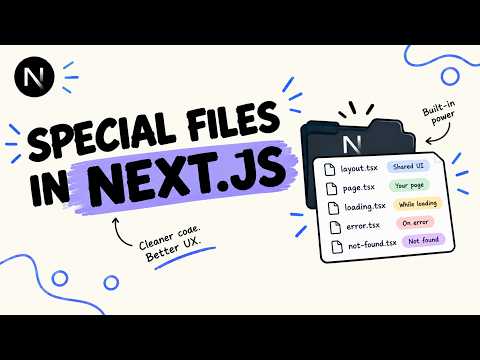
Next.js Special Files Explained for Vibe Coders (layout, loading, error)
You click a link in your app and nothing happens for three seconds. Or a page crashes and your user sees a raw error. Next.js has four special files that decide what people see when things aren't perfect, and most vibe coded apps are missing some of them. In this video I explain layout.tsx, loading.tsx, error.tsx, and not-found.tsx, and I demo each one live in a fresh project. You'll see why a layout doesn't reload when you move between pages, what happens when you forget {children}, how a loading state appears instantly, how to catch a crash and offer a retry button, and how to customize your 404 page. You'll learn: - What layout.tsx does and why its state survives navigation - How layouts nest, and what happens when {children} is missing - How loading.tsx gives instant feedback while a page waits for data - How error.tsx works, why it must be a client component, and what reset() does - Which errors error.tsx can and can't catch - How not-found.tsx and the notFound() function work - How to ask your AI to add these files to your own app 📌 Episode 7 of "What Your AI Actually Built", a series explaining what's inside a vibe coded Next.js app. Earlier episodes cover folder structure, package managers, Git, where your code runs, what happens when you open a URL, and how folders become URLs. Next up: dynamic routes. 🔗 My apps: TrackStack: https://trackstack.com.au Ninja Vote: https://ninjavote.com.au MicroCalendar: https://microcalendar.com.au

Routing In Next.js (Next.js for Vibe Coders)
You create a folder in your Next.js app, open the URL, and get a 404. Add one file and the page works. That one file is the whole secret of routing in the Next.js App Router. In this video I show how folders become URLs, why a folder on its own doesn't make a page, and how to fix the mistakes AI makes most often: wrong file names, missing exports, and mixing the old pages router with the new app router. I demo every one live so you can see exactly what breaks and why. You'll learn: - How folders inside the app directory become URLs - Why every route needs a file named page.tsx - Why /blog/hello can work while /blog is a 404 - What isn't a route, and why you can keep components next to your pages - Why page.tsx needs a default export - The difference between the old pages router and the new app router - How pnpm build lists every route in your app - How to prompt your AI so files land in the right place - A five-step checklist for when a page isn't showing up 📌 Episode 6 of "What Your AI Actually Built", a series explaining what's inside a vibe coded Next.js app. Earlier episodes cover folder structure, package managers, Git, where your code runs, and what happens when you open a URL. Next up: the special files next to page.tsx, like layout, loading, error, and not-found. 🔗 My apps: TrackStack: https://trackstack.com.au Ninja Vote: https://ninjavote.com.au MicroCalendar: https://microcalendar.com.au

What Happens When You Open a URL (Next.js for Vibe Coders)
You open your app and the page shows up, but the button doesn't work yet. A second later, it does. That isn't a bug, it's how every Next.js page works. In this video I follow one request from start to finish: what your browser sends, what the server builds, and what happens when the JavaScript finally loads. I demo it live by turning JavaScript off, so you can see exactly why a page can look right and still not respond. You'll learn: - What happens between typing a URL and seeing a page - How to read the Network tab and what status codes like 200, 404, and 500 mean - Why Next.js sends real HTML, and why that matters for SEO - What hydration is, in plain language - A three-step order for debugging a page that looks right but doesn't work 📌 Episode 5 of "What Your AI Actually Built", a series explaining what's inside a vibe coded Next.js app. Episode 1 covers folder structure, episode 2 package managers, episode 3 Git, and episode 4 where your code runs. Next up: how folders become URLs. 🔗 My apps: TrackStack: https://trackstack.com.au Ninja Vote: https://ninjavote.com.au MicroCalendar: https://microcalendar.com.au

Where Your Code Actually Runs (Next.js for Vibe Coders)
You add a console.log and nothing shows up in the browser. Or your AI writes code and you get "window is not defined". Both come from the same thing: your code doesn't run in one place, it runs in three. In this video I explain the three places your Next.js code runs, which are build time, the server, and the browser, and what each one can and can't do. I demo each one live in a fresh project so you can see exactly why logs go missing, why window crashes on the server, and why a page can show stale data in production. You'll learn: - Build time, server, and browser, and what runs in each - Why console.log shows up in your terminal instead of the browser - What "window is not defined" actually means - What "use client" does at a basic level - Why a page can be frozen at build time - The one question to ask whenever something behaves strangely 📌 Episode 4 of "What Your AI Actually Built", a series explaining what's inside a vibe coded Next.js app. Episode 1 covers folder structure, episode 2 package managers, and episode 3 Git. Next up: what happens when you open a URL. 🔗 My apps: TrackStack: https://trackstack.com.au Ninja Vote: https://ninjavote.com.au MicroCalendar: https://microcalendar.com.au
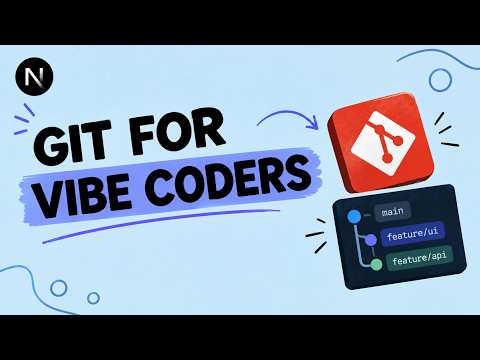
Git for Vibe Coders (Undo Your AI's Mistakes)
Your AI just edited fourteen files, and now your app is broken. Git is how you get back to the version that worked. In this video I explain what Git actually is, what commits are, and how to use five simple commands to see what your AI changed and undo it when it goes wrong. I also cover the difference between Git and GitHub, and why you should never commit your .env file. You'll learn: - What Git and commits are, in plain language - Git vs GitHub - git status, add, commit, diff, and restore - How to check what your AI changed before you accept it - The habit that saves you when AI breaks your app: commit, prompt, check the diff 📌 Episode 3 of "What Your AI Actually Built", a series explaining what's inside a vibe coded Next.js app. Episode 1 covers the folder structure and episode 2 covers package managers. Next up: the three places your code runs. 🔗 My apps: TrackStack: https://trackstack.com.au Ninja Vote: https://ninjavote.com.au MicroCalendar: https://microcalendar.com.au

Package Managers for Vibe Coders: Stop Breaking Your Project
Every Next.js project starts with an install command, and suddenly hundreds of packages appear on your machine. In this video I explain what a package manager actually does, what's inside node_modules, how npm and pnpm differ, and why your AI sometimes breaks your project by mixing them. You'll also learn how to tell which package manager your project uses, and one security trap with AI-suggested packages that every vibe coder should know about. 📌 Episode 2 of "What Your AI Actually Built", a series explaining what's inside a vibe coded Next.js app. Episode 1 covers the folder structure, and Git is next. 🔗 My apps: TrackStack: https://trackstack.com.au Ninja Vote: https://ninjavote.com.au MicroCalendar: https://microcalendar.com.au

Every File in Your Vibe Coded Next.js App, Explained
You vibe code, your AI builds the app, and you have a project folder full of files you've never opened. In this video I create a Next.js project from scratch and explain every file and folder in it: app, public, package.json, the lockfile, node_modules, .gitignore, the config files, and Tailwind. By the end you'll know where things live in your own app, so you can tell when your AI puts something in the wrong place. 🔗 My apps: TrackStack: https://trackstack.com.au Ninja Vote: https://ninjavote.com.au MicroCalendar: https://microcalendar.com.au

I spent a year building the wrong thing
I built TrackStack to centralize everything at the company I work at. Payout reminders, leave tracking, tasks, all of it. It's been a year now, the whole company uses it... and the one feature I built the entire app around? Almost nobody touches it. This is the story of how long it took me to actually notice that, why silence is worse feedback than criticism, and what I'm doing differently in version two. Check out TrackStack: https://trackstack.com.au/ Check out MicroCalendar: https://microcalendar.com.au/ Building SaaS products solo while working a full-time job, sharing the real wins, the dumb mistakes, and everything in between. Music I Use: Bensound.com/free-music-for-videos License code: 85SZUJZFF2YPHOPK Artist: Yunior Arronte

My first paying customer turned out to be a scammer
MicroCalendar just made its first real sale - and then things got weird. A few weeks after landing my first paying customer, I noticed suspicious activity on the account: a pattern of bookings created back to back using different cards. Looked a lot like card testing, a common scam where stolen card numbers get tested on small payment platforms with weaker checks. I had to shut it down. While dealing with that, I also built myself a completely unnecessary internal dashboard — Mission Control — just to make checking on the app more fun. Live activity feed, MRR counter, confetti on milestones. Zero use to actual users, purely for me. And separately, my boss's company started using MicroCalendar for real internal scheduling — no marketing, just word of mouth — which is now shaping actual features, like automatically assigning bookings to whichever host is free. https://www.microcalendar.com.au/?utm_source=youtube&utm_medium=video&utm_campaign=my-first-paying-customer-turned-out-to-be-a-scammer Building this in public — the wins, the fraud attempts, and everything in between. Subscribe if you want to follow along.

Watch this if you're building AI SAAS
I logged into the admin account without knowing the password. I just used three characters of punctuation. This is SQL injection: one of the oldest tricks in web security, and honestly one of the most satisfying. In this video I break down exactly how it works, in plain English, no jargon — how a login can be tricked into skipping the password check entirely, why it happens, and how modern sites stop it. I'm a developer learning to break the things developers build, one lab at a time. I'll show you the attack AND the fix, because I've probably written this bug myself at some point. Everything here is done on legal, intentionally-vulnerable practice labs. Learn to break your own stuff, not other people's. Lab used: PortSwigger Web Security Academy (free)

3 SaaS apps I am building
It's mid-year, so I'm checking in on the goals I set for myself — the apps I wanted to build, and the personal stuff I've been working on. On the building side I'm working on three apps: TrackStack - work tracking for teams : https://trackstack.com.au MicroCalendar - sync all your calendars and manage bookings with meeting links : https://microcalendar.com.au NinjaPRM - personal relationship management : https://ninjaprm.com.au And the personal goals: shipping a mobile app, bulking up, getting better at futsal, and improving my English. This channel is me building things, figuring it out as I go, and sharing the honest version - wins, fails, and everything in between. Subscribe if you want to follow along.

I built a Calendar app
My boss manages more calendars than any human should have to. Work, personal, team - all separate, all out of sync, all causing problems. So I spent a week building MicroCalendar - a unified calendar app where you can connect your Microsoft and Google calendars, see everything in one place, and actually stay on top of your schedule. It also has a Calendly style booking system built in. Because why would I let anyone pay someone else when they can just pay me instead. Features in this video: Unified calendar with Microsoft and Google integration Monthly, weekly, daily and agenda views Group workspaces — share calendars with your team or assistant Booking links with automatic email confirmations 14 day free trial 🗓️ Try MicroCalendar: https://www.microcalendar.com.au/?utm_source=youtube&utm_medium=video&utm_campaign=i-built-a-calendar-saas-app

I got my first user !
I launched Ninja Vote a few weeks ago and immediately started checking Stripe waiting for money that was absolutely not coming. Turns out Google had indexed zero of my pages. Zero. I had built a site whose entire business model depends on traffic and made it completely invisible to search engines for weeks. This video is about how I fixed that - sitemaps, robots.txt, structured data, all of it - and about the one random stranger who somehow found the app anyway, signed up, and created a poll asking if my channel should go viral. They voted yes. I love them. Try Ninja Vote: https://ninjavote.com.au/ I'm a developer building things in public and sharing exactly what happens - the wins, the embarrassing mistakes, and the empty Stripe dashboards. Subscribe if that sounds like your thing.

Someone won $500 on the app I built at work. I made $0.
Two designers at my office got into a bet. $500 on the line. I built the platform they used to settle it. This is the story of how that happened, why I ignored my boss to build it, and where things actually stand right now - no sugarcoating. Ninja Vote is live - create a poll for anything. Logo battles, product decisions, naming your friend's baby, settling arguments nobody will let go of. Link below. https://ninjavote.com.au/ This channel is about building things in public and sharing what actually happens. Not the highlight reel - the real numbers, the real revenue, what works and what completely doesn't. I'm a developer who builds projects, sometimes ignores reasonable advice from his boss, and then tells you exactly what happened. If that sounds like your kind of content, subscribe. It's free, unlike the $500 I definitely should have kept for myself somehow. Next video: another app I'm currently building. Different story, same energy. Same boss who doesn't know about it yet.

How to earn as a Programmer in 2025
Are you a developer wondering how to start making money in 2025? Whether you're just getting started or already have some experience, this video is packed with real, actionable strategies to help you earn with your skills. Here’s what I’ll cover: Freelancing: How to find clients and showcase your skills effectively. Selling Templates: Build once, sell forever! Learn how I created templates like course-selling platforms to generate consistent income. Building SaaS Products: Start small! I share how I turned my need for a portfolio app into a SaaS with paying users. Content Creation: Monetize your coding journey through YouTube, blogs, and more—even if you’re just starting out. Other Opportunities: From affiliate marketing to selling courses, there are endless ways to earn as a developer. 💡 Check out my templates and tools for building SaaS apps here: https://averagetemplate.pro This video isn’t about overnight success—it’s about building something meaningful, helping others, and growing along the way.

My Apps Made Money — Here’s What I Learned
I’ve been building SaaS apps for the past few months, and I finally made my first sales! It’s a small win, but it means a lot to me. In this video, I share my journey of launching GitStash and Average Template, the lessons I’ve learned along the way, and what’s next in my SaaS-building adventure. I’m not a business expert — I just love building useful products. From a simple boilerplate template to a platform where users get access to complete solutions, I’m creating tools that can help developers, entrepreneurs, and creators kickstart their projects without paying huge commissions to platforms like Udemy. I also talk about my upcoming course-selling platform — a one-time purchase product that will help people launch their own learning platforms, with no ongoing fees. It’s something I plan to use myself, and I believe it could be valuable for many of you too! This journey has taught me a lot about building SaaS apps, staying motivated, and pushing through uncertainty. If you’re thinking of launching your own product, I hope this video inspires you to start building, keep going, and believe that even small wins can be life-changing. Best Next.js Templates : https://averagetemplate.pro Portfolio For Developers: https://gitstash.pro Let’s build together!

Developers: Save Time with these Game-Changing Next.js Templates!
Discover how I built my own SaaS templates to save time, focus on ideas, and fast-track app development. In this video, I share my journey of becoming a SaaS developer, building four apps, and realizing the need for reusable, production-ready templates. With features like authentication, user dashboards, admin panels, payment integrations, and sleek designs, these templates—powered by Next.js 15, Prisma, Tailwind, Stripe, and more—are perfect for developers looking to build apps faster. Whether you're launching a marketplace, a blog, or the next big SaaS product, these templates have you covered. Watch to learn how you can simplify your workflow and bring your ideas to life with ease. Get started today and turn your vision into reality! Get you template at: https://averagetemplate.pro

How I Use AI to Build Apps Faster and Stay Organized as a Solo Developer
As a solo developer, managing everything from brainstorming to bug fixing can feel overwhelming. That’s where AI comes in—it’s my go-to productivity assistant! In this video, I’ll show you how I use tools like ChatGPT and Cursor AI to break down project ideas, generate GitHub issues, plan features, and even fix my grammar. I’ll also share how AI keeps me on track, saves time, and makes solo development much easier (while throwing in some humor about therapy 🤭). Plus, a quick look at my app, GitStash, which helps developers create stunning portfolios in seconds. Whether you’re coding alone, working with a team, or just looking for ways to stay productive, this video is packed with tips on using AI to boost your efficiency and get more done. 🔗 Use the coupon code AVERAGE to get 30% on GitStash: https://gitstash.pro/ 📩 Let me know how you use AI in your workflow in the comments!

I built the best portfolio generator SaaS for developers
Creating a professional portfolio shouldn’t feel like a second job. That’s why I built this SaaS platform to make showcasing your skills and projects effortless. Sign up with GitHub, and in minutes, get a portfolio on your custom domain – no coding, no headaches. Manage everything with a clean, minimal CMS: update your details, showcase projects, add work experience, write blogs, and even let potential clients or recruiters contact you directly through a built-in form. This app is designed for developers, freelancers, and anyone looking to impress employers or clients with a stunning, easy-to-maintain portfolio. It’s still a work in progress, but it’s already packed with features to save you time and help you stand out. Try it out today and let your work speak for itself! 👉 Check it out at: https://gitstash.pro

Watch this before your ship your SaaS
Building a SaaS app fast sounds like a great idea, but is it always the best approach? In this video, I dive into my experience developing my third SaaS app—a powerful portfolio generator for developers that pulls real data from GitHub and gives you a custom domain and a CMS to manage your work. I was eager to ship it quickly using JavaScript, but things got overwhelming fast. From dealing with a messy codebase to realizing that cutting corners wasn’t worth it, I’m now reworking the project with TypeScript and improving the overall design. I’ll share why clean code and solid design matter just as much as speed. If you're a developer, SaaS founder, or just curious about indie development, you’ll get real value from this experience. Check out my app below and follow along as I improve it step by step!" 🔗 Try Gitstash: Your Developer Portfolio Generator

Built 2 SaaS Apps in 2 Months: Lessons from a Developer's Journey
In this video, I share my journey of building two SaaS apps in just 2 months—Birthday Wingman, an AI-powered birthday gift and celebration reminder app, and Prompt Inspector, a prompt analytics tool. It’s been a rollercoaster of coding, challenges, and a lot of learning along the way. If you're a developer looking to turn your side projects into products or someone interested in how SaaS apps are made, this video is for you. I walk through my development process, the difficulties of marketing as a solo dev, and the lessons I've learned from getting my first paying customers. Birthday Wingman(Event reminder app): https://birthdaywingman.site Prompt Inspector(AI Analytics tool): https://promptinspector.com Music by: bensound.com License code: BOUBDYCS3GXCTTB2 Sound Effect from Pixabay Video Credits: Video by motionstock from Pixabay Video by THUY PHAM XUAN from Pixabay Video by u_9cdufm6xxs from Pixabay Video by Christian Bodhi from Pixabay Video by Christian Bodhi from Pixabay
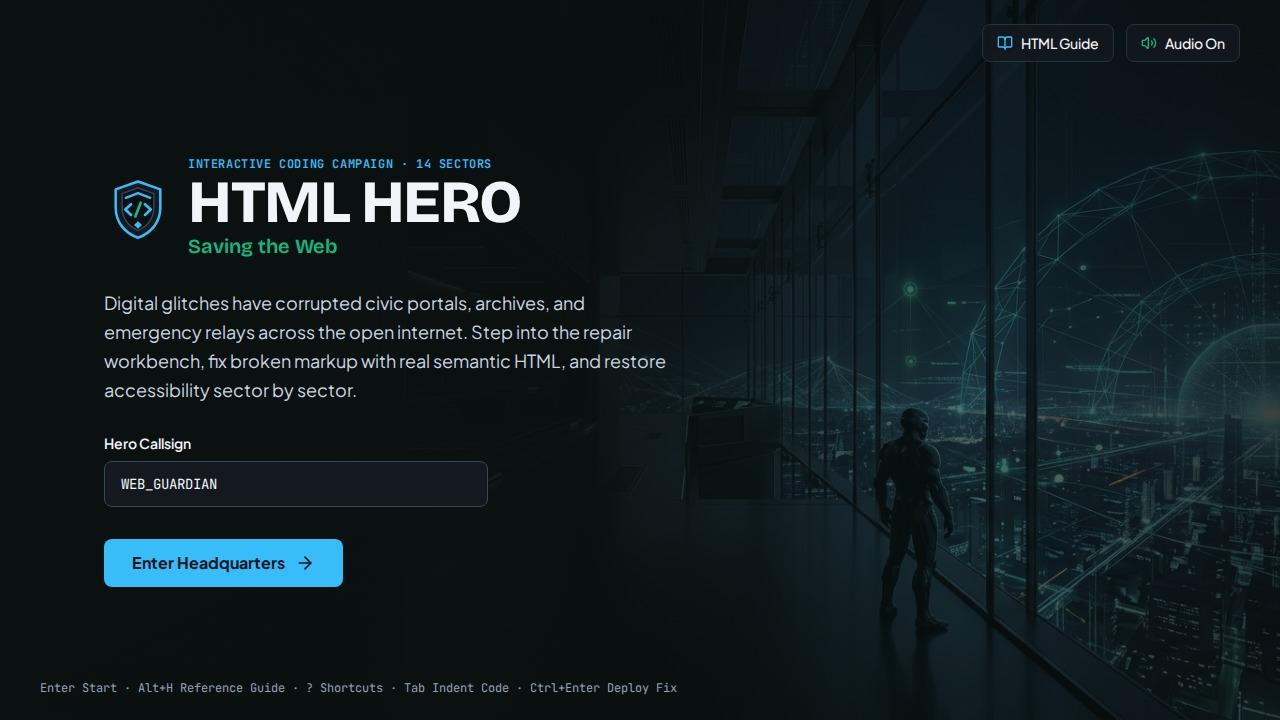
HTML Hero
Interactive coding campaign across 14 sectors. Digital glitches have corrupted civic portals, archives and emergency relays; fix the broken markup with real semantic HTML and restore accessibility sector by sector.